KT2170 Wireless HD Veterinary Endoscopy Set
Operation
So long as the endoscope has a “standard eye piece” the DE1250 coupler will be compatible. If you are not sure if you endoscope has a standard eye piece please contact Firefly with the make and model.
If the flexible endoscope has a “standard eye piece” and the diameter is 2.7mm or larger the DE1270 will be compatible.
When in use, either use the coupler’s focus ring or the focus ring found on the flexible endoscope. Using both with cause the image to remain blurry.
To achieve the best image, it is helpful to focus beyond the honeycomb effect caused by the fibers in the flexible endoscope.
While the DE1270 is perfect for in-office procedures, the camera cannot be autoclaved or soaked for disinfection. If the DE1270 will be used in procedures where it could get wet or contaminated, a plastic sheath is required.
The ES201 is waterproof and can be soaked for disinfection. The ES201 cannot be autoclaved.
The endoscope and sheath are waterproof and can be soaked for disinfection. They are not approved to be autoclaved.
Is the ES201 is blinking this means the battery is low. Swapping or charging the battery will resolve the issue.
FireflyPro captures .jpg, and .AVI files which can be uploaded to most EMR/EHR systems.
The power indicator light should be RED when charging. If the light is flashing red or steady green please make sure you are using the original short USB cable. Using a different USB cable can cause the device to not charge properly.
If that does not work, please try using a computer USB port instead of the AC charger or vice versa. If this does not solve the problem please contact Firefly as you may need a replacement USB cable.
There are a few ways this issue could be resolved –
- Please press the settings icon and select the correct model number. Once selected, re-launch the FireflyPro software.
- Verify the LEDs are illuminated and the brightness dial on the side of the camera is at its maximum setting.
- Try changing channels on the receiver and the device. Also, make sure your hand is not covering the back of the device – This can hinder the wireless signal.
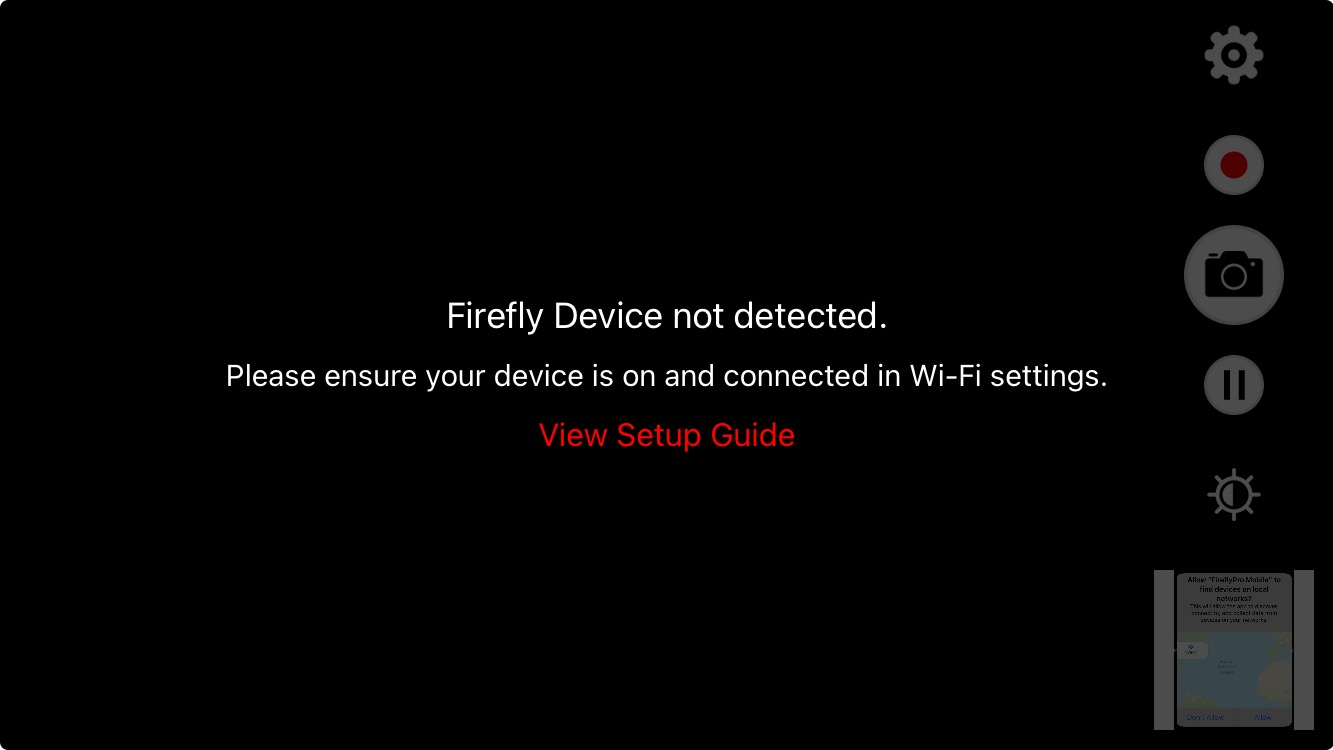
If you are seeing the error “Firefly Device Not detected” in FireflyPro Mobile (shown above) please follow the steps below:
- This could be due to a low battery level. Please charge the camera for at least an hour and try again.
If charging the camera did not resolve the issue:
- Uninstall the FireflyPro Mobile application from your device.
- Turn off/on your phone or tablet.
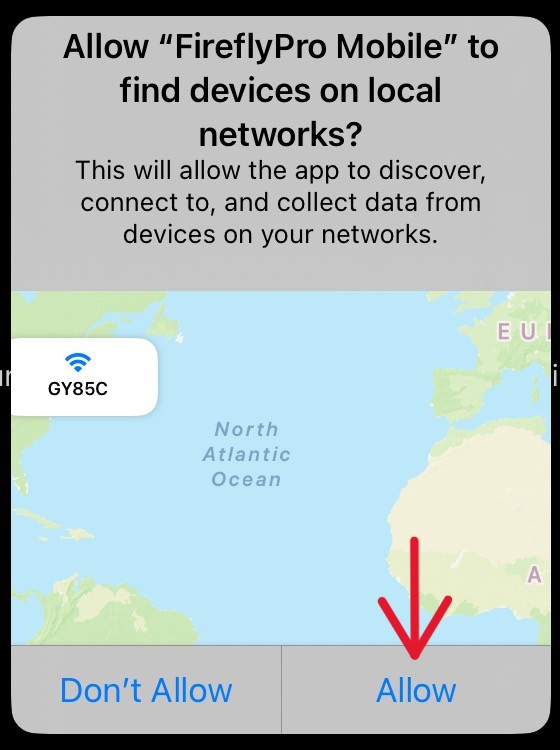
- Go back to the App Store and reinstall FireflyPro Mobile. During installation, when you are asked to “Allow “FireflyPro Mobile” to find device on local networks?” you must select ALLOW or the camera will not connect. (Image copied below)
Installation
Compatible devices:
- iPad Air 2, iPad Mini 3 and up
- iPhone 6 and up
- MAC computers with Apple M1 and M2 chips
- Android 6 and up on devices with dual band WiFi support
If you are seeing the error “Firefly Device Not detected” in FireflyPro Mobile (shown above) please follow the steps below:
- This could be due to a low battery level. Please charge the camera for at least an hour and try again.
If charging the camera did not resolve the issue:
- Uninstall the FireflyPro Mobile application from your device.
- Turn off/on your phone or tablet.
- Go back to the App Store and reinstall FireflyPro Mobile. During installation, when you are asked to “Allow “FireflyPro Mobile” to find device on local networks?” you must select ALLOW or the camera will not connect. (Image copied below)
No. The only caveat is that the pictures’ default name is based on a date. So if you keep the default names, pictures from the specific upgrade date may be overwritten.